Hull Rupture hull construction is the expansion system: a mode you can enter at any time during flight, which pauses travel and offers a random hull block with empty module slots. It replaced the old wait-for-a-shipyard upgrade path, and it turned ship layout into one of the most important strategic decisions in the game.
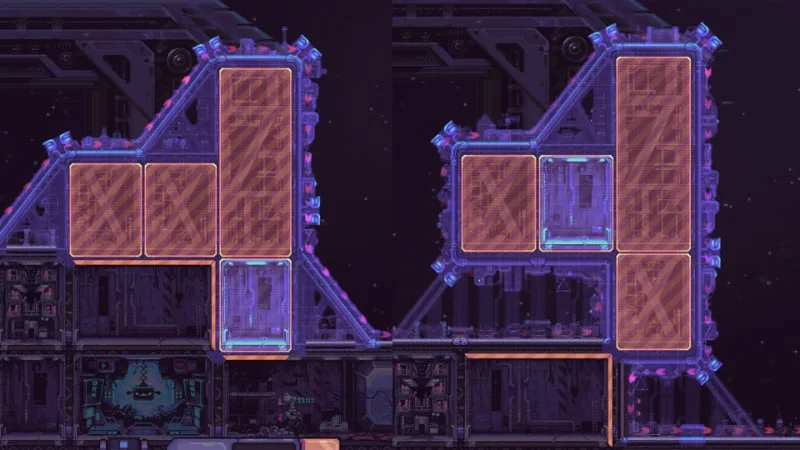
The system is deliberately constrained. You cannot rotate the block. You cannot remove it later. You cannot block the Airlock or Engine. You can, however, choose exactly where the block attaches, whether it sits flush or on stilts, and how the new geometry changes the path aliens take toward your crew. That is enough freedom to win or lose a run.
What Hull Construction actually does
Enter Hull Construction while the ship is flying. Travel pauses and the game presents one construction block with empty module slots. You choose its position on the hull. Building the block costs resources — Energy early in the run, Plasteel later. If the offered shape does not fit your plan, you can skip it, but skipping also costs resources.
There are 15 block shapes, offered in a randomized order. They do not repeat until the entire set has cycled, so a run will eventually show every shape. The randomness is in the order, not an infinite reroll. You cannot fish for the same perfect block forever.

Where the button is
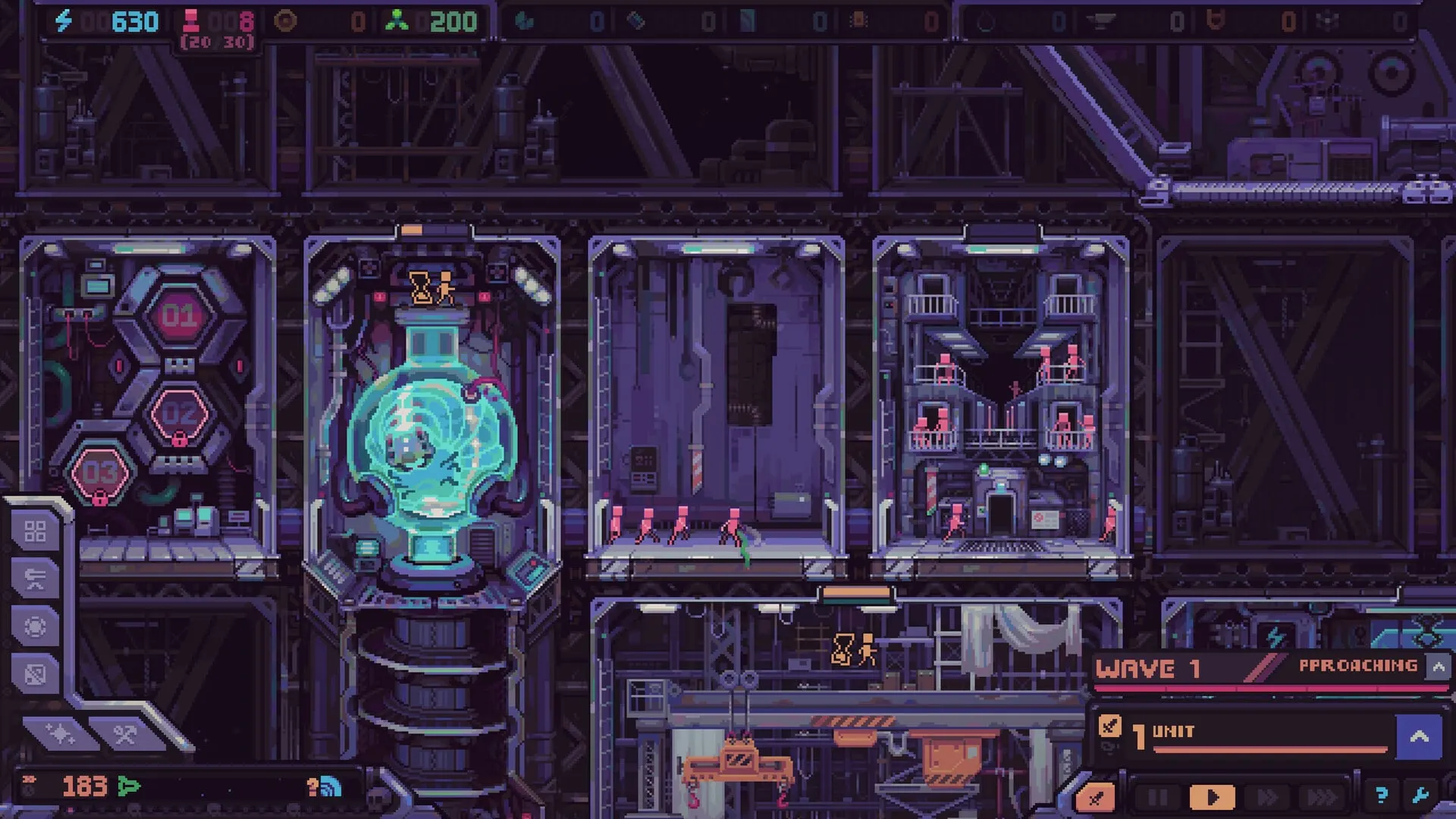
The Hull Construction control is the crossed-tools tab in the lower-left ship view, beside the bar-chart Info Mode tab. Clicking it opens construction and pauses flight. The demo trailer shows the same interaction.
The rules that matter
15 shapes
Offered in random order with no repeats until the set cycles.
No rotation
The block’s orientation is fixed. Plan the fit before placing.
No demolition
Once placed, a hull block is permanent. There is no undo.
Airlock and Engine stay clear
The game prevents blocks from sealing either access.
Adjacency unlocks slots
An empty slot becomes buildable only next to a completed module.
Energy, then Plasteel
Costs scale and change resource later in the run. Skips are paid too.
Stilts create corridors
A block can sit slightly away from the hull, leaving a path underneath.
Routes affect defense
Longer paths spread drop pods and add turret time.
Why adjacency is the hidden rule
New module slots are not automatically available just because you placed a hull block. A slot unlocks for construction only when a completed module is next to it. That means the first module in a new block is the key that opens the rest of the block. If you place a beautiful new wing and cannot build anything in it, the problem is almost always adjacency, not a bug.
This rule pushes you toward connected, incremental expansion. A compact cluster is easier to activate and better for adjacency bonuses. A detached block on stilts may be strategically valuable for routing, but it can take longer to become productive. Decide which benefit you are buying before you commit.
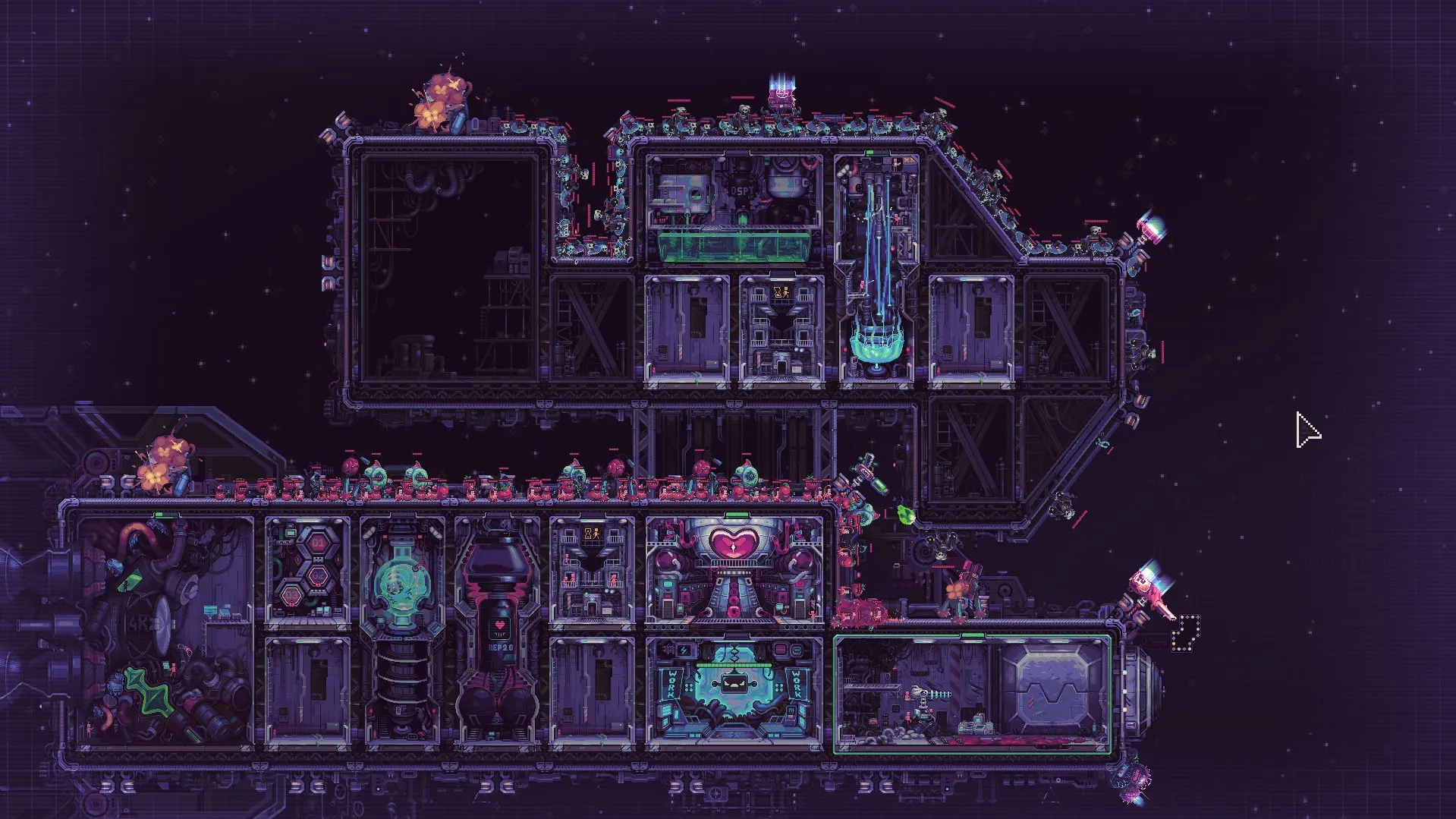
Step-by-step: place a hull block without regret
- Open Hull Construction mid-flight. Pause first if you need to think. The mode pauses travel automatically, but your attention should be on the ship, not the star map.
- Read the offered shape and cost. Check the number of empty slots, the footprint, and whether the price is Energy or Plasteel. Do not assume the block is “free” because the slot is empty.
- Check the Airlock and Engine. The game will refuse placements that block them, but plan around the restriction. A route that ends in a wall of your own modules is still a bad route.
- Compare the shape to your kits. If you own a 1×1 production module and the block offers only a large room, the space may sit empty. Match the block to the modules you can actually install.
- Decide flush or on stilts. Flush placement is compact and efficient. Stilts create a corridor underneath, lengthening the alien route — but only if your turrets cover it.
- Place, then build the first adjacent module. Until a completed module touches the next slot, the rest of the block is inert. Finish the first room before expanding again.
- Review the new path. Trace the alien route from the outer hull to the Airlock. If the block created a blind spot or a shortcut, adjust turret coverage before the next wave.
Four layout patterns and when to use them
1. The compact core
Group production modules tightly around the Despot’s Chamber and your generators. Adjacency bonuses improve output, workers spend less time walking, and the ship stays lighter. The tradeoff is a shorter enemy route: aliens reach the Airlock faster, so you need enough firepower to make the short trip lethal.
Use this pattern when your economy is the bottleneck and your defense is stable. It is the default for the early game.
2. The long-route wing
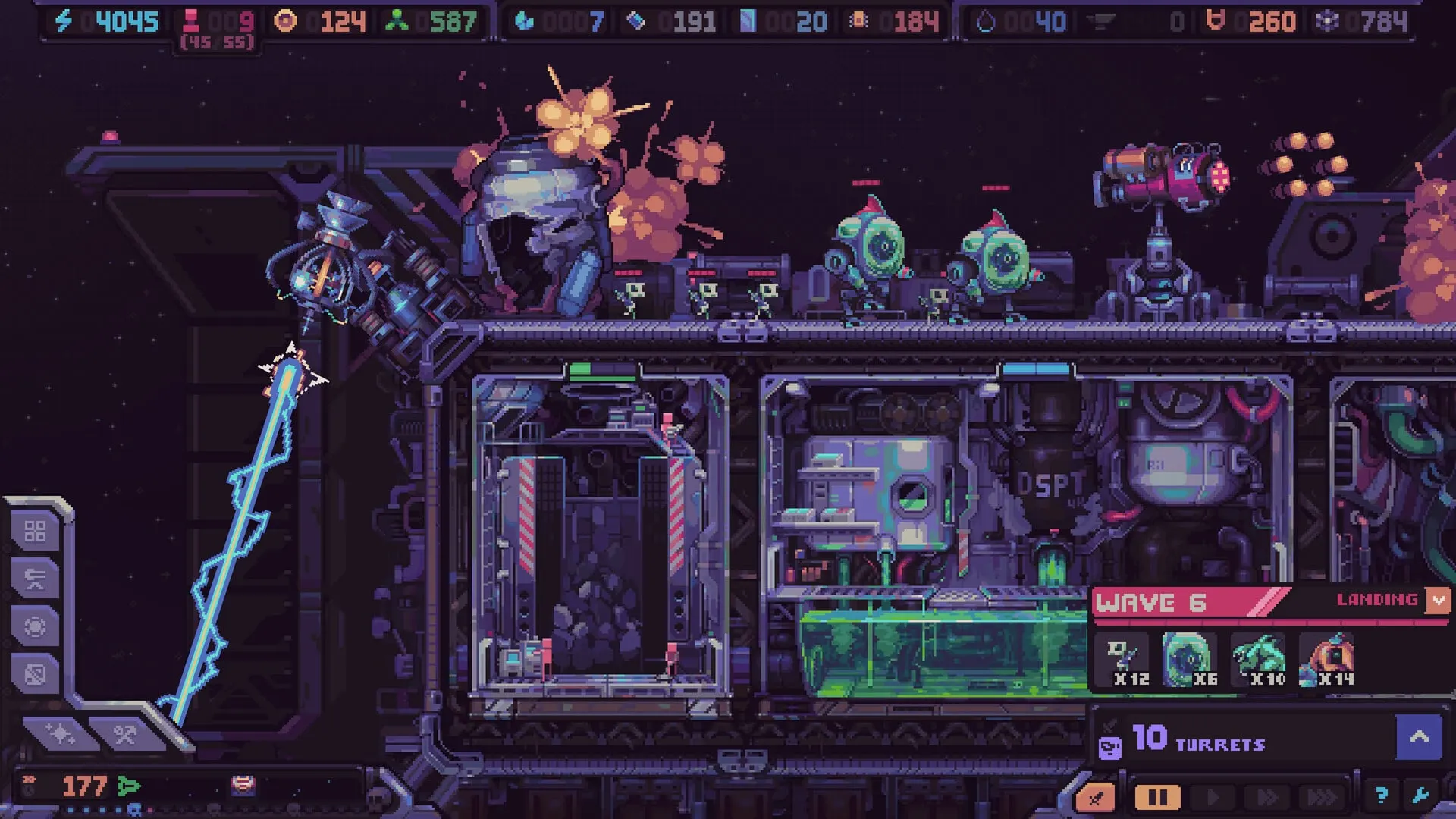
Offset a block from the hull or create a deliberate detour. Drop pods land across the outer surface, so a longer route spreads arrivals and keeps each alien under fire for more time. Long-range turrets on the exposed corners can cover multiple segments.
Use this when waves are overwhelming your current kill zone but your economy can afford the extra mass. Do not build a long route you cannot cover; it simply gives aliens a scenic walk to your Airlock.
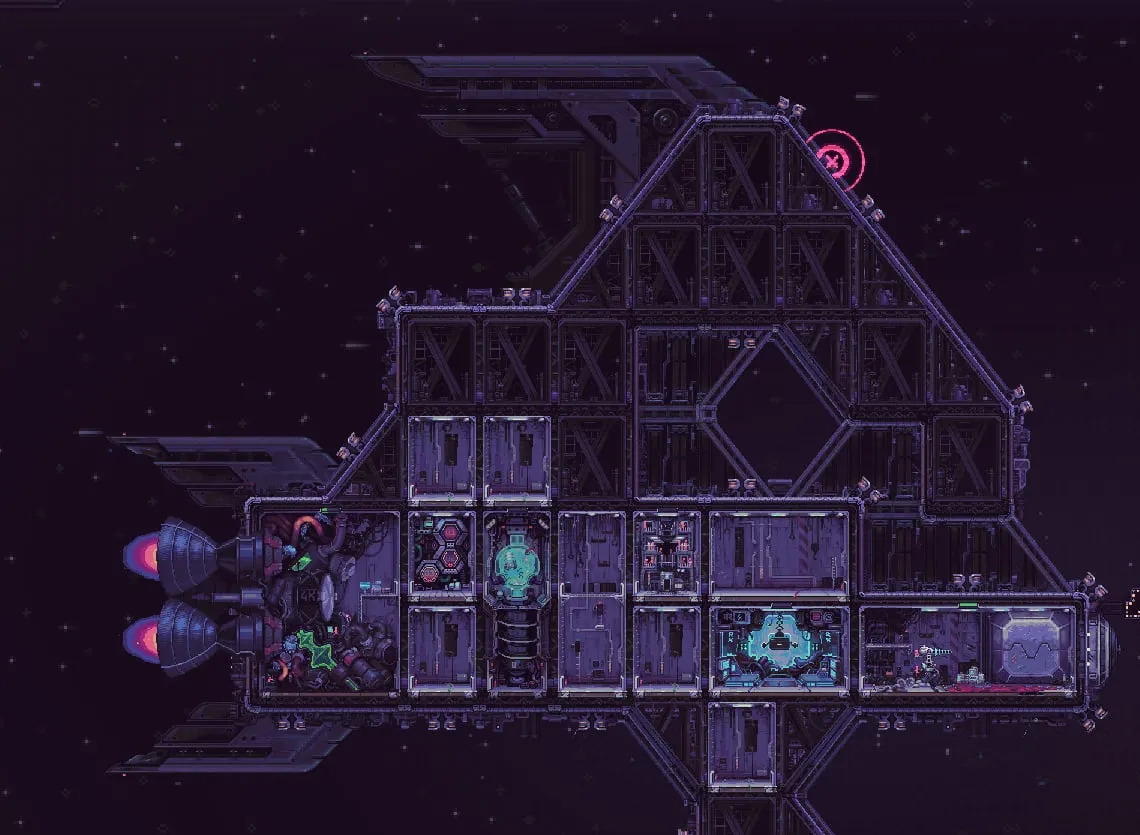
3. The spiral / maze
Players discovered that a spiral of blocks just outside the Airlock creates a maze for enemies approaching from above and below. It is not an official blueprint, but the developer highlighted it as an amusing unintended strategy. A maze buys time, but it also demands sustained damage; without turrets covering the turns, it only delays the inevitable.
4. The boss lane
Bosses always land at the far upper-left of the ship, furthest from the Airlock. You can build toward that knowledge: keep the lane long, put long-range coverage on the straight sections, and reserve short-range punishment for the final choke. The boss fight is the one time a dedicated layout is clearly worth the mass.
Shaping alien routes: the mental model
Think of the ship as a tower-defense map you are drawing in real time. Drop pods land on most of the outer surface. Every alien then chooses a path toward the Airlock. Your hull blocks change the geometry of that path, and your turrets occupy slots along it.
Three variables decide whether a route is good:
- Length: how long the alien stays under fire before reaching the Airlock.
- Exposure: how many turret arcs can hit the same segment without overlapping wastefully.
- Convergence: whether multiple lanes merge into one kill zone or stay spread out.
A long route with no exposure is worse than a short route through three overlapping guns. A compact ship with perfect adjacency can still die if the Airlock approach is a straight line with one turret. Build the route and the coverage together.
Block decision table
| Situation | Choose | Avoid |
|---|---|---|
| Economy stalled, defense stable | Compact block next to existing production, with slots you can fill. | Detached decorative wing with no completed neighbor. |
| Waves reaching the Airlock | Offset block creating a longer lane, covered by long-range fire. | More rooms that add mass without adding turret arcs. |
| No useful kit available | Skip the block and save tokens for a targeted box. | Place a block “for later” and pay permanent mass. |
| Boss approaching | Reinforce the far upper-left lane; keep turret slots open. | Expand the opposite side of the ship. |
| Crew walking too far | Compact the production core; add storage near converters. | Spread converters across a long, thin hull. |
Troubleshooting common construction problems
“I placed a block but cannot build in it.”
Check adjacency. At least one completed module must border the empty slot. If the block is detached, the connection may not be close enough. Build the first module in the block from an adjacent slot, then expand outward.
“The offered block is the wrong shape.”
Compare the skip cost with the cost of placing a useless block. Skipping is not free, but neither is permanent dead space. If your economy can absorb the skip, wait for a shape that fits your kits or route.
“Aliens now reach the Airlock faster.”
A block that creates a shortcut or removes a firing angle can make defense worse. Re-trace the route from every landing zone. If the new geometry exposes a blind spot, move a turret or add coverage before the next wave.
“My ship is too slow after expanding.”
Mass is the cost of expansion. Add engine capacity, build a Weight Distorter, or stop expanding for a few waves. A faster ship reaches more events and shops, which often matters more than one extra production room.
Hull Construction FAQ
Quick answers
Construction questions
Can you remove or rotate hull blocks in Hull Rupture?
No. Hull blocks cannot be rotated and cannot be destroyed once placed. Check the shape, cost and route consequences before committing. Skipping an offered block costs resources, but it is often cheaper than a permanent mistake.
How do you unlock new module slots in Hull Rupture?
An empty module slot becomes available for construction only when a completed module is adjacent to it. Place the hull block, build the first module, then expand outward from that completed chain.
How many hull block shapes are there?
The October 22, 2026 developer deep dive states there are 15 construction blocks. They appear in a randomized order and do not repeat until the full set has cycled.
Can you block the Airlock or Engine with Hull Construction?
No. The game prevents blocks from blocking the Airlock or Engine. Keep both access points clear when planning the route, especially if you are building a spiral or stilt corridor.
What do hull blocks cost?
Costs begin with Energy and later use Plasteel, according to the developer. Skipping an unsuitable block also costs resources. The exact price scales with the run, so check the displayed cost before confirming.
Do hull blocks change alien routes?
Yes. Alien drop pods land across most of the outer surface and the creatures run toward the Airlock. Extending or offsetting the hull creates longer paths and different firing angles. Decorative outer hull elements do not affect routes.
Launch-build warning
The 15-block set, costs and placement rules reflect the demo and the October 22 deep dive. The November 4 release may add or rebalance shapes. Check the update history and the in-game build after launch.